




















Stake Mirror Sites India: Verify Domains and Account Access
A page can copy Stake's colours in an afternoon. Establishing that its address belongs to the operator takes better evidence. If you are researching Stake mirror sites India, begin with the operator's current documentation and the purpose of your visit. An alternate domain can answer a technical access question; it cannot establish permission to gamble.
For an existing Indian account, focus on legitimate account management, records and support for any remaining funds. Read the India access update before acting on an old “working mirror” post. This page documents how to assess an address; it does not promise access from a restricted location.
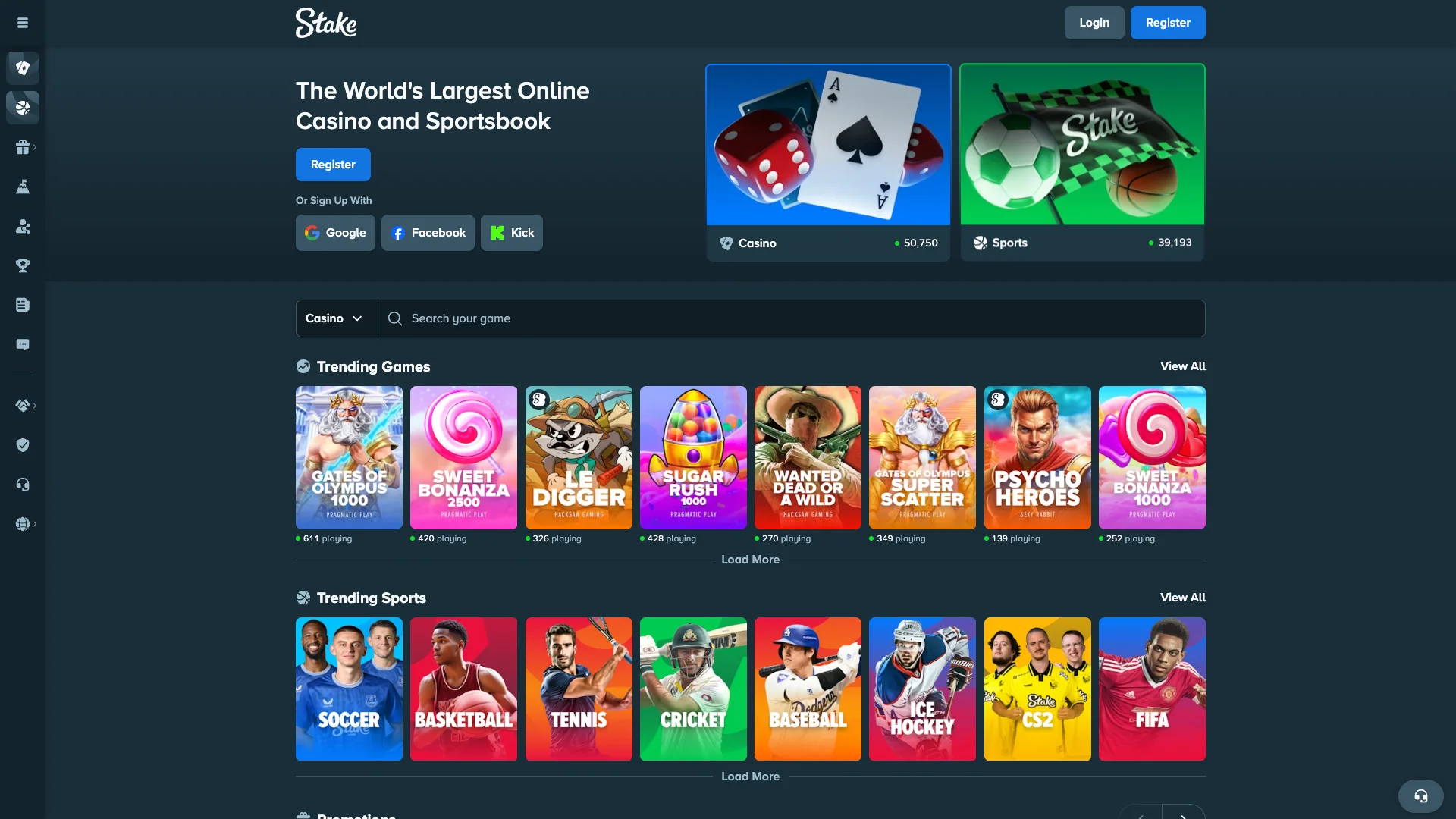
What the official reference currently names
Stake's Help Center article checked for this guide names four mirror addresses: playstake.club, playstake.info, playstake.io and playstake.casino. It describes them as alternate routes to the same platform, with shared account records. Consult the article again before relying on a saved list.
| Domain | Source of identification | What this confirms |
|---|---|---|
| playstake.club | Stake Help Center | The operator names it in the referenced article. |
| playstake.info | Stake Help Center | The operator names it in the referenced article. |
| playstake.io | Stake Help Center | The operator names it in the referenced article. |
| playstake.casino | Stake Help Center | The operator names it in the referenced article. |
This is a dated reference list, not an uptime test or an India access guarantee. We link to the authoritative article so you can inspect the operator's current instructions without trusting a copied table indefinitely.
What “mirror” means for an account
An operator-controlled mirror uses another web address to reach its service. The important relationship is between that domain and the operator's systems. Visual similarity alone cannot establish the relationship.
Stake's documentation describes a shared account, balance and history across its genuine mirrors. You should not need to buy a new ID or transfer the balance to a second wallet just because the address changed.
An independent review site is different. This domain, india-stake.bet, publishes guides about Stake; it does not become an official mirror by using the brand in its name or discussing the platform.
Verify the whole address, not the familiar fragment
Read the actual destination. A familiar name can appear in a path, a subdomain or a misleading string without identifying the owner you expect. Short links can hide that distinction until after the redirect.
For a hypothetical address such as stake.example.org, the visible word “stake” does not make Stake the operator. The registered domain in that example is example.org. Likewise, text before an @ in a crafted URL can mislead a quick glance.
- Open official documentation through a reference you independently trust.
- Compare the complete domain with the address in question.
- Inspect the destination after any redirect.
- Check the service and account context before entering credentials.
- Ask official support when the relationship remains unclear.
A padlock indicates an encrypted connection to the displayed domain. It does not prove that the domain belongs to the company whose logo appears on the page.
Read a web address from its actual structure
A web address contains more than a familiar word. The hostname identifies the destination, while the path describes a resource on that destination. A page can place “stake” in its path, title or query string without belonging to the operator. The visual arrangement of the address matters more than the presence of the brand name somewhere inside it.
For example, a hypothetical address ending in example.invalid remains part of that example domain even if an earlier label contains a well-known brand. Similarly, a path such as /stake-login/ can be created on an unrelated website. These examples illustrate address reading and are not login destinations.
Look for extra letters, substituted characters and unexpected punctuation. A browser may shorten a long address until you focus the address bar, so inspect the complete hostname before entering credentials. On mobile, a home-screen label can hide most of the destination altogether.
An encrypted connection is useful, but it answers a limited question about the connection to the displayed site. It does not establish that the site is the brand you intended to visit. An unrelated website can also use an encrypted connection and display a polished login form.
The strongest practical check is a match with the operator's current official reference reached independently. Do not let a copied logo or a familiar page layout substitute for that comparison.
Verify a mirror claim in a reproducible sequence
Start from a source you have independently established as official, such as the operator's support documentation. Read the full entry and its context. A domain mentioned in a warning is not necessarily a recommended access route, so a search snippet alone is insufficient.
Compare the claimed hostname character by character with the official list. Then consider whether the documentation applies to the same service and account. Similar branding across different products can create confusion about which login or wallet is involved.
If the claim comes from a message, avoid using the message's login button as the verification route. Open the official reference independently and compare there. This prevents the suspicious source from controlling both the claim and the supposed evidence for it.
Record when the check was made. Domain lists can change, and a correct historical screenshot does not settle the status of a newly circulated link. A responsible directory should show its basis and review date instead of promising that a static collection contains every address forever.
Finally, separate domain authenticity from account eligibility. Even a domain listed by the operator cannot override applicable restrictions, account review or an exclusion. Verification tells you what address you are examining; it does not grant permission to use every function behind it.
Why matching screenshots are weak proof of ownership
A website's public appearance can be copied. Logos, colours, game covers and even a plausible account form are visible to anyone who visits the original. A page that resembles the screenshots in this guide therefore needs the same address verification as an unfamiliar design.
Some copied pages reveal the problem only at a later step. They may display a fake balance, request an additional transfer or present a support chat controlled by the same site. The initial resemblance creates confidence, but the later request determines the practical risk.
A working password field is not evidence that the operator received the password. An error such as “incorrect credentials” can be shown by any form. Repeatedly trying different passwords on an unverified page can expose more credentials without producing a genuine login.
Promotional screenshots deserve similar care. A past bonus panel can be reused to make a new domain look established. Check the actual campaign terms through the operator rather than assuming an old image authenticates the site displaying it.
This is why our interface gallery is labelled as reference imagery. It helps explain navigation, but it is not a visual authentication system. The destination, official documentation and account process provide the meaningful checks.
Compare two domain claims without testing passwords
Suppose two community posts advertise different alternate addresses. Both display the same logo, both use encrypted connections and both claim to serve the existing account. None of those shared features tells you which claim, if either, matches the operator's current reference.
Compare the hostnames with the official documentation reached independently. Record the source and review date. If one address is listed and the other is absent, the absence is a reason to ask the operator for clarification, not to enter credentials into the second page as an experiment.
Also inspect what the posts promise. A claim that an address restores a blocked region, bypasses verification or unlocks a bonus is separate from the claim that the domain belongs to the operator. Even a genuine alternate address cannot independently change those account and legal conditions.
If the two pages show different balances, do not send money between them to reconcile the difference. Establish the product and account identity through official support. One page may be signed out, display another currency or be unrelated to the service.
A useful verification result is narrow and reproducible: this exact hostname appeared in this official reference on this date. It is stronger than a broad statement that the address is “safe forever,” which no static review can establish.
The same method works for a saved bookmark that suddenly behaves differently. Preserve the old destination, note the new behaviour and compare the current official information. You can investigate the claim without exposing a password, approving a transaction or installing anything supplied by the doubtful page.
Why “all Stake mirror sites” is an unstable promise
Domains and official references can change. A list copied into a forum, spreadsheet or review can outlive the announcement that originally supported it. The longer the list, the more opportunities it creates for stale or unverified entries.
Prefer an operator-maintained reference over a claim to completeness. Check when the source changed and whether it actually names the address you plan to use. Do not infer approval from a similar naming pattern.
If an address does not appear in the current reference, ask support to identify it. You do not need to enter account details to test whether a questionable page looks functional.
Use Reddit and community reports as observations
A community post can tell you that one person saw a page or encountered an error at a particular time. It cannot independently prove ownership, legal availability or what your account will permit.
Read the date and the task the person actually completed. Loading a public homepage differs from signing in, withdrawing funds or receiving an answer from support. A post can use “works” for any of those events.
Be cautious with replies that immediately move the conversation to a private message, a paid list or an agent who supplies account IDs. Keep verification with the operator rather than the person promoting the link.
Evaluate community reports without outsourcing verification
A forum post can describe what one person observed: a page loaded, a password prompt appeared or a payment was delayed. That observation may be useful context, but it does not prove domain ownership or explain the legal position of another reader.
Check the date, the exact hostname and what the poster actually tested. “Works for me” may mean only that a public homepage opened. It may not mean the poster authenticated, completed verification or used any financial function. Treat those as different claims.
Repeated comments can also share the same original source. Ten reposts of one screenshot are not ten independent checks. Affiliate links, referral incentives and edited messages can further complicate the picture. None of these facts makes every community report false, but they limit what the report can establish.
Use reports to identify a question worth asking the operator. For example, several users may mention a passkey prompt missing on a particular domain. The relevant follow-up is whether the official documentation explains a domain-bound credential limitation, not whether another commenter offers a replacement password form.
If an account problem is private, avoid publishing the information that support needs to verify ownership. A public conversation can describe the symptom without exposing identity documents, security codes or complete financial records.
What could make one address “better”?
For a genuine account-management task, useful criteria include confirmed ownership, current operator support and compatibility with the login method you use. A claim about a faster connection is a separate, temporary observation.
A mirror does not earn a better payout rate by shortening its domain. If it connects to the same service, a different address does not rewrite the game's rules, your verification status or a pending withdrawal review.
Ignore rankings that promise a special balance or guaranteed access without explaining the operator relationship. The strongest evidence is the current official reference, not a five-star badge on the ranking page.
A mirror address is not a paid account upgrade
Stake's mirror explanation describes another route to its platform, not a separate account purchase. A stranger's request for an activation deposit, mirror subscription or balance-migration fee does not follow from that description.
Keep legitimate account charges separate from a link seller's demand. If an alleged fee appears, ask official support to identify it through the normal account process. Do not send money to a personal wallet as a way of verifying a website.
Check identity before interpreting an empty balance
If an alternate page opens and appears to show no funds, confirm the service and username first. A new login session, a different selected currency or an unrelated regional product can make the screen look unfamiliar.
Compare account history rather than just the headline number. Look for the records you expect and ask support about any discrepancy. Do not fund the page to see whether it “connects” to your old account.
A demand to register again deserves scrutiny when the official documentation describes a shared account. Resolve that contradiction before providing more personal information.
Passkeys explain some differences between domains
Passkeys are bound to a website identity. Stake's mirror help notes that a passkey may not work on an alternate domain and describes supported password-and-2FA access instead.
That limitation does not prove a mirror is fake, but it also does not prove that a password prompt is legitimate. Verify the address first, then use a method the operator supports for that confirmed destination.
If you no longer have an alternate factor, use official recovery. Never share an authenticator setup key or hand remote control of your device to a person claiming to configure mirror compatibility.
Bookmarks and home-screen icons can hide stale addresses
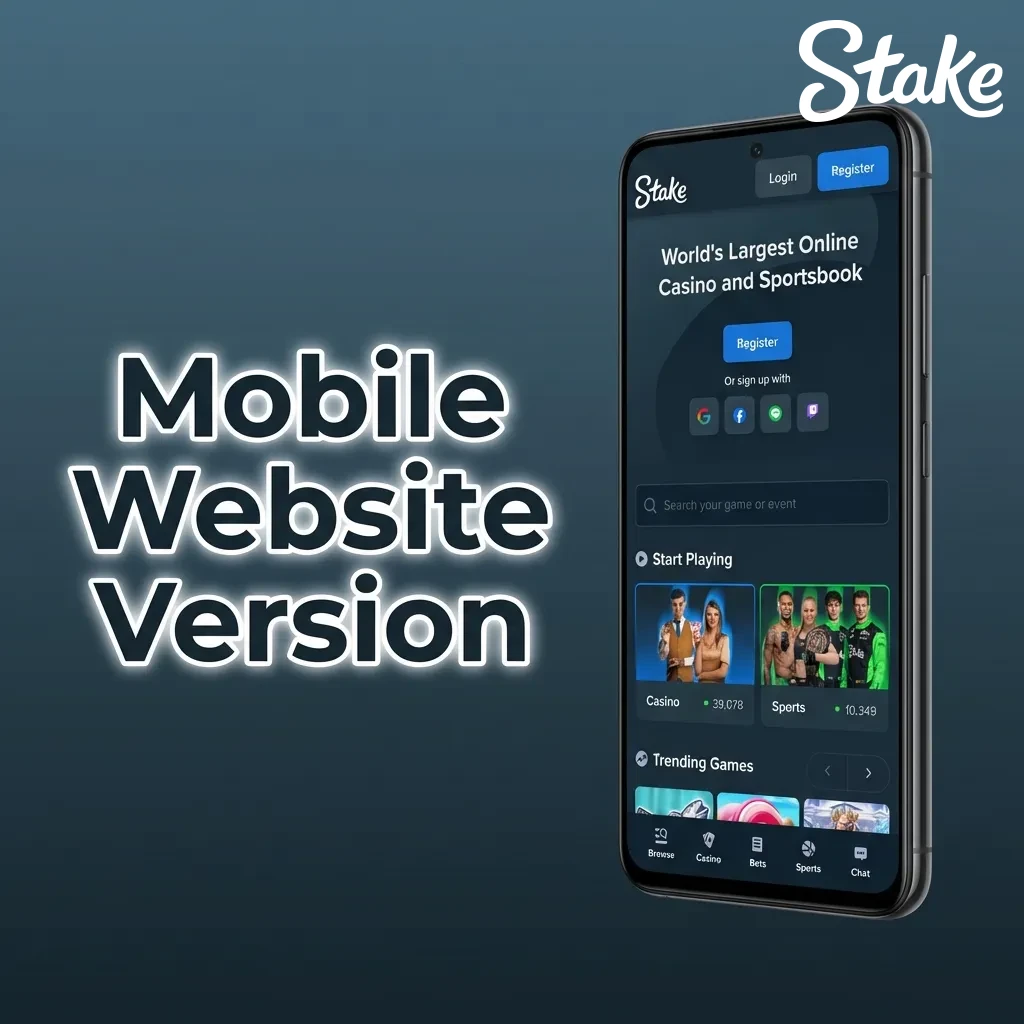
A home-screen icon can continue opening the address you saved months ago. Check its destination if behaviour changes. The icon's familiar appearance says little about the current page behind it.
For account management, begin with the operator's verified current guidance. If you create a new shortcut, inspect the destination before saving it and remove old duplicates that you no longer need.
Read the browser-app guide for installation details. No APK is necessary merely to add a website shortcut, and an app download cannot settle a regional eligibility question.
Short links, redirects and saved bookmarks
A short link hides its final destination until it is expanded or followed. A redirect can also move a browser from one address to another. These mechanisms are common on the web, but they make it especially important to inspect the final hostname before entering account information.
A bookmark can become stale when a service changes its published access information. A mobile home-screen shortcut may preserve an old destination even after a user has read a newer guide. Verify the stored address rather than assuming the familiar icon has automatically updated.
If a page redirects unexpectedly, record the starting address and the final address. That gives support a concrete issue to investigate. Do not keep proceeding through additional login forms merely because the first page looked familiar.
Browser warnings and certificate errors should not be dismissed as routine mirror behaviour. They indicate that the browser could not establish something expected about the connection. Use official support to clarify the situation instead of following instructions from the questionable page to weaken the browser's protections.
The same principle applies to links embedded in QR codes. The image itself can conceal a destination. Read the decoded address and confirm what action it represents before treating it as an account-access instruction.
When a mirror does not load
Record the error and distinguish an unavailable website from an unavailable account. A connection timeout occurs before the account system can assess your credentials. A suspension notice appears at a different stage.
Check the operator's help for a current service notice and contact support with the exact domain and time. For India, ask about the specific permitted account-management task. Do not treat a technical diagnosis as a reason to conceal your location.
Changing passwords does not repair a network timeout. Clearing browser data does not remove an account restriction. Match the next step to the failure rather than trying every suggestion in a forum thread.
A different route does not change the applicable rules
A mirror concerns the destination address; a VPN or proxy changes how traffic travels or appears to originate. Neither grants legal eligibility. Stake's terms address location accuracy and attempts to circumvent restrictions.
Keep your account and location information truthful. If you need access to historical records or a remaining balance after a restriction, describe that need to official support and request the relevant process.
A mirror cannot approve a withdrawal
Payment status follows the operator's account and transaction systems. A different domain cannot complete missing KYC, correct an unsupported network or cause a receiving exchange to credit a transfer.
Identify the stage: account review, transfer approval, network confirmation or destination credit. Then send the appropriate reference to the responsible service. Our withdrawal guide explains the distinction.
A page promising to release funds after a new deposit deserves independent verification. Keep the original transaction record and consult official support rather than following the page's payment instructions.
Account balances do not need a mirror migration fee
A genuine alternate route to the same service is an access mechanism, not a new customer wallet that must be funded separately. A request to transfer money to “activate the mirror balance” should therefore be checked independently with official support.
Distinguish this from a legitimate account-specific review. The operator may need information to resolve an existing balance or transaction, but the request should belong to the established official process. A stranger's private wallet address does not become an operator payment instruction because the message uses a case number or logo.
If a different page shows an unexpected balance, establish the account identity before drawing conclusions. You may be looking at another product, a signed-out screen, a different currency display or an unrelated site. A screenshot of the number alone cannot tell you which explanation applies.
For a missing withdrawal, the relevant evidence remains the request reference, status, asset, network and any transaction hash. Changing domains cannot create a missing network broadcast or approve a compliance review. Our withdrawal guide follows those stages in detail.
Likewise, a mirror cannot make a bonus available to an ineligible account. Claim windows, campaign rules and account ownership remain separate questions. An alternate address is not a reset button for the customer's history.
If you already used a doubtful site
Stop providing information. Return to the verified account service independently and secure the credentials involved. If you reused the password elsewhere, update those accounts too. Protect the linked email because it can control further resets.
Tell official support which address you used and what information you entered. Save messages, screenshots and transaction references. If money moved, contact the sending provider promptly and follow its reporting process.
For suspected cybercrime in India, consult the official National Cyber Crime Reporting Portal and its current reporting guidance. Avoid anyone who guarantees recovery in return for an advance payment.
Respond according to what was exposed
If you only opened a suspicious page, close it and avoid further interaction. If you entered a password, secure the affected account through a verified route and change any reused credential on other services. The response should match the information disclosed.
If the registered email account may also be exposed, secure it through the email provider. Review available session and forwarding controls. Account recovery messages can remain vulnerable if the mailbox itself is not under your control.
If a wallet seed phrase or private key was disclosed, the issue concerns wallet control, not just a casino password. Seek guidance from the wallet provider's official security resources. Never send the phrase to a supposed investigator or recovery agent; that would expose the same control again.
For an actual payment to a suspicious destination, preserve the transaction reference, destination, date and correspondence. Contact the relevant payment provider or official reporting channel as appropriate. Do not assume that an additional payment advertised as a recovery fee can reverse the first transfer.
Keep the report factual and chronological. What address did you visit, what did you enter, what did you send and what happened next? That sequence helps legitimate support understand the incident without requiring speculative claims about who operated the page.
Ask a question the operator can answer
Send the complete domain, not only a screenshot of its logo. State where you found it and what task you need to complete. Ask whether the operator recognises that address and which official route applies to your account.
Keep the response reference. You can then follow up about a concrete destination and account issue instead of restarting the same discussion with another community link.
What this directory can and cannot establish
This guide explains how to verify a published mirror reference and how alternate domains relate to account access. It does not maintain a live guarantee that an address will load from every network, nor can it inspect a reader's private account status.
For a current question, identify the exact hostname and ask the operator a narrow question: is this address listed by you, does it serve my existing product, and what official route applies to my account issue? Those questions produce more useful answers than asking for any link that happens to open.
Keep the current India context in view throughout. Technical reachability and lawful availability are different matters. A reliable guide makes that boundary clear while still helping existing customers secure records, understand messages and contact the correct support channel.
A saved interface is different from a working account service
A downloaded HTML page can preserve the appearance of a service while lacking its actual account system. It may contain old links, image paths and interface labels, but it does not thereby authenticate users or hold their balances. This distinction is relevant whenever a page looks convincing but behaves differently from the expected service.
A copied page can also retain outgoing links to several unrelated destinations. One button might lead to an affiliate redirect, another to a historical help page and another to a login form elsewhere. Evaluate the destination of the action you are about to take, not just the address of the page where the journey began.
The independent guide at india-stake.bet uses reference illustrations and explanatory content. Its domain is not presented as an operator mirror, and its articles do not receive Stake account credentials. A reader looking for account support should use the official sources identified in the guide.
A familiar account icon in a screenshot is therefore informational. It shows where a control appeared in the captured interface, not a live control that can restore a private account. Keeping that boundary clear avoids confusing a review with the service it describes.
Separate an address question from an account decision
An address-verification question asks whether a hostname belongs to the operator's published access routes. An account question asks whether a particular customer can sign in, use a feature or resolve a balance. The first can sometimes be answered from public documentation; the second often requires private verification.
Suppose official support confirms that a domain appears in its reference, but the account still displays a verification notice. The domain answer does not resolve the notice. The next request should concern the outstanding account requirement rather than asking for more alternate links.
Similarly, a public page loading on one connection and failing on another does not establish that the account itself is blocked. Record the exact error and environment. The operator can then distinguish a general service issue from an account-specific message, subject to the current location rules.
A clear support exchange keeps these threads separate: first identify the service and destination, then identify the account state, then ask about the unresolved action. Combining them into “send me a working mirror” can hide the real problem.
Keep a small verification record for future use
A useful private record contains the exact hostname, the official page that listed it, the review date and any relevant support reference. It should not contain a copied password or an authentication code. The purpose is to remember why the address was trusted at the time.
Recheck that record when behaviour changes or an unfamiliar destination appears. A historical confirmation is evidence of the past check, not an unlimited guarantee. Compare the current official information before entering credentials again.
If a bookmark is replaced, label the new entry clearly and avoid keeping several indistinguishable icons. Multiple similar shortcuts can make it harder to notice which destination actually opened. On a shared device, remove account sessions through the service's controls as well as organising the visible shortcuts.
This small amount of record keeping is more useful than collecting a long list of unverified domains. It preserves a traceable basis for an access decision while recognising that ownership references, product availability and account status can change.
Stake mirror sites India questions
Is this review site an official mirror?
No. india-stake.bet publishes independent guides and does not host Stake accounts.
Where should you confirm an address?
Use Stake's current Help Center article or direct official support. Check the complete destination after any redirect.
Does a reachable mirror establish legal access in India?
No. Reachability does not change the applicable restrictions or account eligibility.
Should a genuine mirror require buying a new account?
Stake's documentation describes shared account records. A demand to purchase a new ID conflicts with that description and needs verification.
Can a mirror fix a KYC or withdrawal review?
No. Those processes follow the account and transaction record, not the spelling of the access domain.
Why might a passkey fail on another address?
Passkeys rely on website identity. Follow the operator's supported sign-in or recovery instructions for a verified domain.
About this guide
Garry Anderson · Editorial author
This independent guide combines product explanations, worked examples and references to the operator's documentation. Numerical scenarios illustrate the rules; they do not describe a promised result or a new live-account test.
View the reference materialReferences and product documentation
Reference review: 26 September 2026. Consult the current account interface and applicable rules for changing details. The examples on this page do not represent a personal offer.