




















Stake Registration: Account Setup, Verification and First Steps
A registration form takes minutes to read. Correcting a misspelled name, an inaccessible email or an account opened with the wrong details can take much longer. Approach Stake registration as the beginning of account ownership: establish eligibility, choose a recoverable login and prepare information you can support later.
This guide explains the international account process for eligible users. If you are in India, read the current access position first. A completed form does not establish permission to deposit or wager. If you already hold an account, use the recovery guide instead of creating another one.
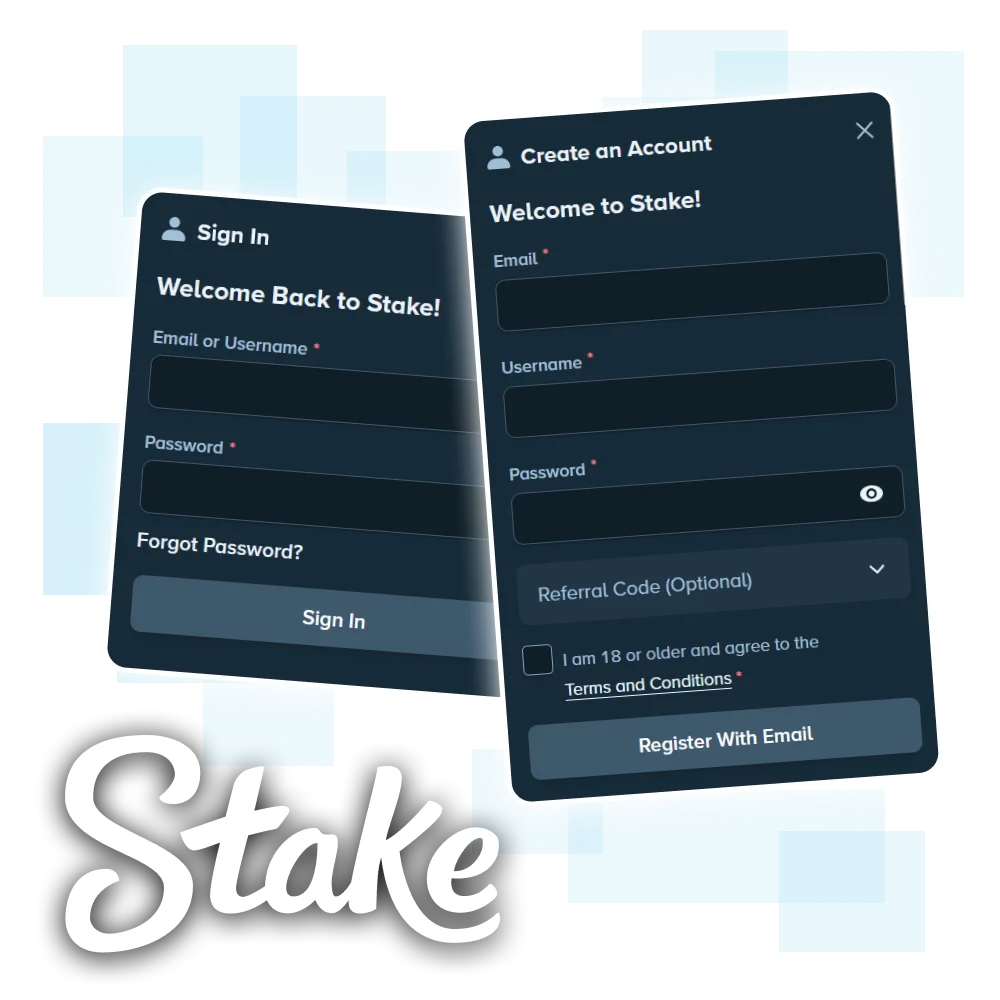
Answer the eligibility questions before the form questions
Check the service, your location and the applicable age requirement. A regional Stake product may use a different operator and account system from Stake.com. Confirm which product the registration page actually belongs to.
Keep residence and current location accurate. An interface that accepts a country name does not independently confirm legal eligibility. If the platform displays a restriction, ask the operator about the situation rather than choosing a different country to finish the form.
Think about previous accounts too. An old username, forgotten email or unused account still deserves investigation. Search your own records and use official support if you cannot identify it. Starting again can complicate account ownership.
Gather the details you will need to maintain
Use an email address you control and expect to keep. Shared work mailboxes and temporary addresses create avoidable recovery problems. Protect the mailbox itself with a strong password and an additional security factor where available.
Enter your name, date of birth and address carefully whenever the form asks for them. Use the information you can support with accepted documents. Do not shorten a legal name simply because a shorter version fits more comfortably on the screen.
| Item | What to prepare | What it prevents |
|---|---|---|
| A personal mailbox with reliable access | Reset messages arriving somewhere you cannot open | |
| Identity details | Accurate spelling, birth date and residence | Conflicts between the account and documents |
| Password | A unique password stored securely | Reuse of credentials exposed elsewhere |
| Authentication | A supported factor and recovery plan | Losing access when a phone changes |
| Payment ownership | Your own eligible payment method | Questions about a third party's funds or account |
Think beyond the first successful sign-in
Registration begins a longer account relationship. The details entered today may be needed when a phone changes, a payment requires review or access must be recovered months later. Choose information you can maintain and verify, rather than treating every field as a temporary obstacle before the lobby opens.
The email address is especially important. It can carry confirmation messages, security notices and recovery instructions. A work or school mailbox may be withdrawn when circumstances change. A shared mailbox can expose account communications to someone else. Use an address you control and protect it with its own strong authentication.
A username can identify the account in support records or community features without being the same as a legal name. Where a form asks for legal identity, supply the information that matches the required documents. Where it asks for a public handle, consider what you are comfortable displaying. Do not assume those fields serve the same purpose.
Keep a private setup record containing the service name, chosen sign-in method and recovery arrangements. It does not need to contain the password in plain text. A password manager can store credentials while a separate note records which email and authentication method belong to the account.
Work through registration deliberately
Start from the verified operator page. Read the available sign-up methods and choose one you can continue using. If you select an external identity provider, remember which provider and identity you used; that choice will matter at the next login.

- Open the registration panel for the correct service.
- Enter the requested account details accurately.
- Choose a unique password if the selected sign-up method requires one.
- Review any optional offer field and its terms before using it.
- Read the account terms and eligibility statements.
- Submit once and follow the confirmation instructions.
A slow response can leave you unsure whether submission succeeded. Check your email and try the normal account-access route before sending another registration request. If the address already exists, investigate that account rather than substituting a second email immediately.
When an optional code appears
An optional promotional field deserves its own check. Identify what the code claims to unlock, who qualifies and whether a time window applies. A code from a forum cannot promise a reward for your particular account.
Our promo-code guide explains the difference between a sign-up referral and a later bonus drop. Do not type a later-claim code into an unrelated registration field and assume the offer has activated.
Confirm the email while the setup is still simple
Open the message generated by your own registration attempt. Check the sender and destination, then follow the verification action in the current message. If you requested several messages, use the latest relevant one.
Look through spam and filtered folders if nothing arrives. Check the address you entered for a typo. Repeatedly requesting more messages can create a stack of obsolete links and make the problem harder to read.
If you entered the wrong address and cannot access the confirmation, use official support to correct the ownership issue. Do not assume you can solve it later after funding the account.
Secure the account before the first transaction
Set up an additional sign-in factor through the account's security controls where available. Follow the supported authenticator or passkey process, then check how recovery works if you lose the device.
Keep recovery material somewhere secure that does not depend entirely on the same phone. A screenshot stored only on that phone can disappear with the device. A backup copied into an unprotected shared folder creates a different problem.
Check that your password manager recognises the verified domain. If you later visit a different address and autofill stops appearing, treat that as a reason to inspect the destination. Security tools work best when you notice their boundaries.
Changing devices after registration
A device change is easiest while the old device and registered email still work. Review the account's supported authentication and recovery options before wiping or selling the phone. If an authenticator is involved, understand its backup or transfer process and verify that the replacement device can generate the required codes.
Passkeys introduce another dependency: the credential may belong to a device or synchronised credential provider. Confirm how that provider restores access. A passkey prompt missing on a new device does not necessarily mean the Stake account has been deleted. It may mean the credential is not available in that environment.
Keep recovery material outside the single device it is meant to recover. At the same time, protect that material from casual access. A screenshot of recovery information stored only on the phone can fail both goals if the device is lost or compromised.
After a legitimate device migration, review available session controls and end sessions you no longer need. If the old device was lost rather than deliberately replaced, secure the email account and notify official support of the relevant account concern. Do not follow an unsolicited recovery message just because it arrives during a stressful moment.
Prepare for KYC without guessing the required level
The operator may request identity, address or further information as part of its account checks. Follow the actual request in your account; a fixed list copied from an older review may not match the current process.
For an identity document, use a readable, complete image of an accepted current document. Avoid glare across important details. If the request asks for both sides, provide both through the official upload flow.
For address verification, inspect the accepted document type, date requirements and matching details. A document can prove your name while failing to show the required residential information. Resolve that mismatch rather than repeatedly uploading the same file.
Keep evidence intact
Do not edit, reconstruct or combine document details to make them appear to match. If your name or address has changed legitimately, explain the change and ask what evidence the operator accepts. The support process can address a real difference; an altered document creates a separate issue.
Approval times vary. A previous user's quick review does not establish your deadline. Save the request reference and monitor the official status instead of measuring every case against an advertised instant result.
Prepare readable verification evidence
When the official process requests a document, follow its stated format and scope. Different checks can require different evidence, so a document accepted for one purpose may not answer another. A proof-of-identity request and a proof-of-address request should not be treated as interchangeable.
Readability is a practical issue. Glare, cropped edges, blur or a very small image can prevent a reviewer from seeing the required details. Capture the document in good light on a plain surface, keeping the relevant information visible. Do not alter text, dates or other substantive content to make the file appear to match the account.
If the document uses a different spelling convention, an old address or a name that has changed, explain the discrepancy through the official process. Guessing which details to change in the account can create more inconsistency. Ask what supporting evidence is appropriate and retain the case reference.
Only upload through the secure channel the operator identifies for that request. A stranger offering to “speed up KYC” cannot establish a legitimate need for your documents. Public chat rooms are particularly poor places to share identity files because copies can persist outside your control.
Approval timing depends on the actual review. A clear submission reduces avoidable ambiguity, but it does not guarantee an instant decision. If a request remains pending, ask which stage is outstanding rather than submitting a stream of slightly different files without explanation.
Choose a funding route only after account checks
Read the wallet as a set of available routes, not a decorative list of currency logos. It may distinguish direct crypto deposits, local-currency methods and services that buy cryptocurrency on your behalf.
Those routes can involve different companies. A card-funded crypto purchase can require the purchase provider's own identity checks and fees. It does not automatically make the casino wallet a direct card account.
Check how a future withdrawal would work before using a permitted deposit method. Your preferred incoming route may not support the outgoing transaction you expect. The payment-method guide compares these differences.
Account ownership and payment ownership must align
A registration form establishes the account holder. A payment can introduce another name, wallet, bank or service into the record. Before any permitted funding, check the operator's rules on payment ownership and the sending provider's conditions. A method belonging to a friend or relative can create questions that the account holder cannot resolve simply by knowing the transaction amount.
For cryptocurrency, controlling an address is not the same as understanding the route. A self-custody wallet, an exchange account and a purchase service maintain different records. If you use an exchange, the transaction history and withdrawal reference may be the evidence available to you, while the blockchain transaction can involve addresses controlled by the exchange.
For a local-currency route where available, the name, currency and receiving instructions deserve the same attention. A familiar payment logo does not override account restrictions or provider requirements. Read the method presented to the actual account rather than relying on a generic list from a review.
Consider the outgoing route at setup time as well. The ability to send money to an account does not prove that the same service can receive a withdrawal. Our payment-method guide separates deposit availability, withdrawal availability and third-party purchase services so these questions can be checked individually.
Read a crypto deposit instruction as a complete set
For an eligible account, the key fields are the asset, network, receiving address, any memo or tag, and the minimum amount. Match all of them with the sending wallet. Matching only the token name leaves a major gap.
Copy the current address from the verified wallet screen. Check the pasted result before confirmation, and include any additional destination field exactly as required. A saved address from an old screenshot should not replace the current instructions.
Work out the amount after sending fees. A hypothetical minimum of 20 units would not accept a net arrival of 19 even if you started with 20 in the sending service. Use the current displayed minimum; this example illustrates the arithmetic only.
After sending, retain the transaction reference and wait for the required processing. If the balance does not update, trace the existing transfer before sending another. The deposit page explains how to separate a sending delay from a crediting delay.
Local currency and third-party purchases need their own checks
Read the payment screen for the method actually offered to your account. A page that can display rupees does not establish an available INR deposit route. Country and provider eligibility matter independently of the display currency.
If the process opens an outside payment provider, identify that provider and inspect its quote. Compare the amount you pay, the amount you receive, the exchange rate and the destination. A small transfer can lose a noticeable share of its value to fixed costs.
Use your own payment method and account details. Borrowing another person's card or wallet introduces ownership questions that a successful initial payment does not settle.
Confirm what arrived before interpreting the balance
Compare transaction history with the expected asset and amount. If the screen shows a fiat equivalent, distinguish that display from the underlying crypto units. A market-price change can alter the displayed equivalent without a new wager or payment.
Check whether any promotional amount has separate conditions. Cash, bonus funds and a pending reward can appear near one another while remaining different account entries. Read their labels before calculating what you could withdraw.
If something looks wrong, stop at the record. Save the relevant reference and ask a specific question about the credit. Placing a test wager does not diagnose a missing deposit.
Read the exit rules before you need the money
Inspect the withdrawal minimum, fee, destination requirements and account checks. The operator's published ordinary deposit-wager conditions also matter; they are separate from any promotional rollover.
If you cannot lawfully use the service, or an account becomes restricted, ask support about returning or managing the remaining funds. Do not interpret a wagering rule as an instruction to place otherwise prohibited bets.
For an ordinary eligible withdrawal, use a destination you control and verify its supported asset and network. Keep the receiving service's instructions available alongside the operator's form. The withdrawal guide explains the complete chain.
Fix the specific registration problem
| What happens | What to investigate | What to avoid |
|---|---|---|
| Email already in use | An existing account and its recovery method | Opening duplicates to bypass the message |
| No verification message | Address spelling, spam filters and the latest request | Generating many competing links |
| Document rejected | The stated reason and accepted evidence | Editing the document's information |
| Payment method absent | Account, provider and location eligibility | Using another person's payment details |
| Location restriction | The applicable account and jurisdiction rules | Entering a false residence |
Diagnose registration errors without creating duplicates
An email-already-used message often means the recovery path deserves attention. It is not a reason to keep generating new account identities. Search your own records for the earlier sign-in method, then use official recovery if necessary. An account created through a supported external sign-in method may require that original route.
A form can also fail because a required field is incomplete, an input format is rejected or the session has expired. Read the exact message next to the field. A date entered in the wrong order is a different problem from a regional eligibility notice, and neither is solved by inventing personal information.
If a confirmation email does not appear, check the address entered, spam folders and any mailbox filters. Avoid requesting many messages in quick succession without knowing which link remains current. Use the latest valid instruction from the official process and do not share the link publicly.
On mobile, an autofill tool may insert details into the wrong field or preserve an outdated address. Review each value before submitting. A password manager is helpful, but its convenience does not replace checking the form's labels.
When contacting support, describe whether the account was created, whether the email was confirmed and whether any transaction occurred. These facts define the situation. A screenshot of a generic login page alone does not tell support which stage failed.
Keep mobile registration in one clear sequence
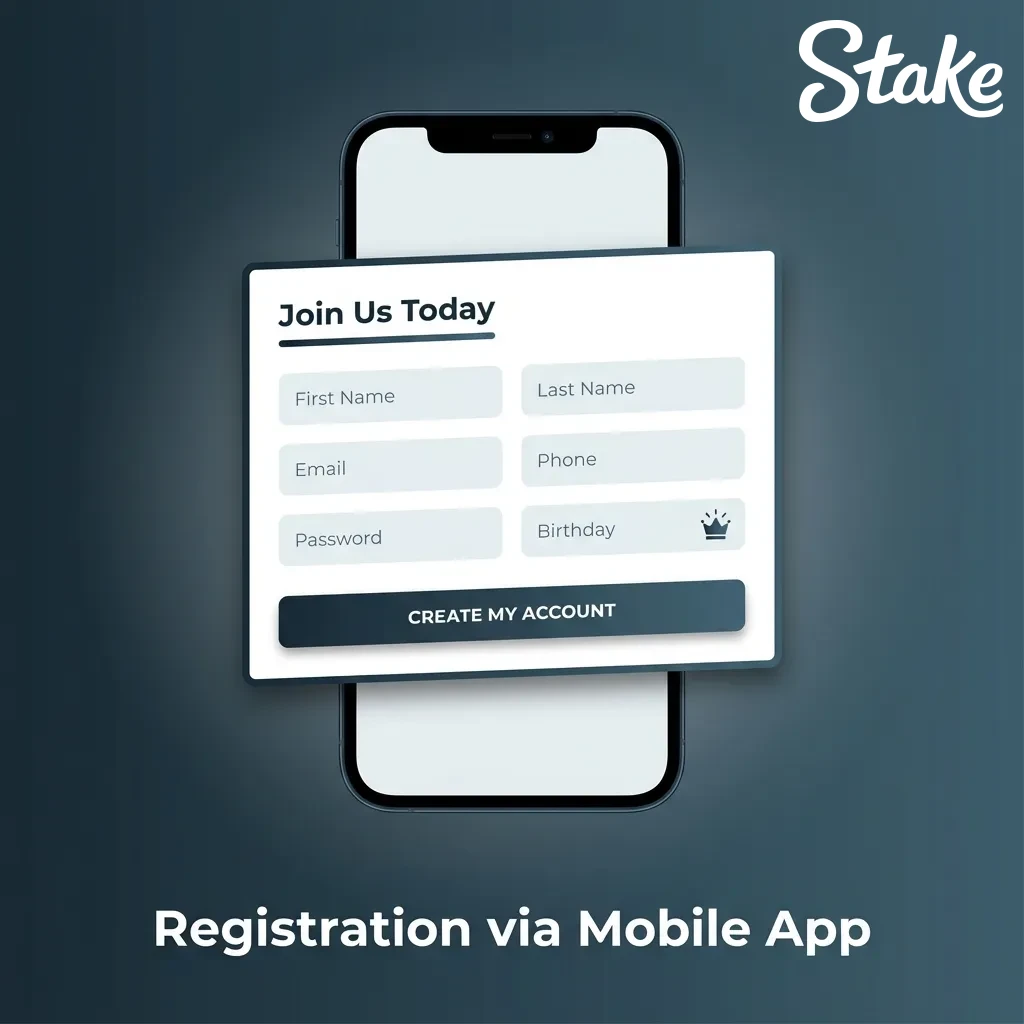
Use the full browser, keep the form open and return to it after checking email. If an external identity provider opens another window, complete that flow deliberately instead of switching to a different sign-up method halfway through.
Check autofill. A phone can insert an old address, a second email or a saved name that does not match your intended account information. Read the populated fields before submission.
After setup, add a home-screen shortcut if it suits you. The app guide explains that convenience step; it does not require creating another account.
Keep a small, useful account record
Record the service, username, original sign-in method and relevant support references. Store credentials securely and separately from ordinary notes. Keep payment records that identify your own transfers.
You do not need a folder full of repeated screenshots. Preserve the information that answers who owns the account, how you recover access and what happened to a particular transaction. Those details remain useful long after the registration form disappears.
What to check after setup is complete
A successful login confirms access to the account, not completion of every account task. Review the profile for obvious errors, confirm the email status and inspect the security settings. If there is a verification request, read it before assuming it will only matter at withdrawal time.
Next, distinguish informational settings from financial actions. A display-currency choice can change how values are shown without converting the underlying asset. A notification preference affects messages, not payment eligibility. A selected favourite game changes navigation, not its rules.
For any permitted transaction, save the reference and the exact currency involved. If a reward is claimed, record its name, claim time and conditions separately. A deposit confirmation does not automatically confirm a bonus, and a bonus banner does not establish that funds were credited.
A simple example shows why this helps. An account receives 100 units, displays a promotional panel and later shows 95 units after activity. Without the deposit record, game history and reward status, it is easy to confuse the five-unit change with a fee or missing bonus. With those records separated, each question can be investigated directly.
A setup checkpoint before the account is relied upon
A useful setup review asks whether another day and another device would still allow the legitimate owner to identify and recover the account. This is a stronger checkpoint than merely seeing the lobby once. Confirm the registered email, original sign-in method and additional authentication route while all three are still available.
Then inspect the account details for mistakes that can be corrected through the authorised process. A mistyped contact address is easier to investigate before it becomes the destination for an urgent recovery message. If a legal name or residence detail is wrong, ask how to correct it rather than creating a replacement identity.
Review any pending verification request separately. An account can be accessible while some functions remain subject to further checks. The absence of an immediate error should not be interpreted as a permanent exemption from future requirements.
For a customer who is only securing an existing account, there is no need to make a new deposit to prove that setup succeeded. Access, records and security can be reviewed without using a financial transaction as a test. If a balance already exists, preserve its history and ask support about any restriction affecting it.
Finally, keep the service's support route with the private account record. A future recovery attempt should begin from a known official source, not an urgent search result promising instant access. Record the account username without publishing it alongside sensitive identity evidence.
This checkpoint has a clear endpoint: accurate account details, working contact access, understood authentication and a known support path. It does not promise that every product or payment method is available. Those remain separate eligibility questions governed by the account and current rules.
Account closure, exclusion and retained records
Different requests can have different effects. Signing out ends a session. Removing a mobile shortcut removes a launch route. Closing an account or requesting an exclusion changes the account relationship under the operator's process. State clearly which outcome you need.
Before requesting closure, ask how unresolved bets, pending transfers and any remaining balance are handled. If access is restricted, use the support route for the existing account rather than creating another one to continue the conversation. Keep the case reference and any instructions concerning records.
Account closure does not necessarily mean every record is immediately erased. The operator's privacy notice and applicable obligations govern retention. If your concern is personal information, ask a specific privacy question instead of assuming that deleting an icon or receiving a closure message resolves it.
If the purpose is to stop gambling, use the appropriate protective account controls and independent support. The administrative task is to secure the account and resolve outstanding matters, not to find an alternative route around the restriction.
Stake registration questions
Can you register again after forgetting your old login?
Use the recovery process first. An existing account deserves an ownership check before you create another.
Does registering prove you can use Stake in India?
No. Read the current legal and service restrictions. A form accepting information does not grant permission to wager.
Do you need a promo code to understand the account process?
No. A promotional code has separate eligibility and claim conditions. It does not replace account checks.
Can KYC happen after registration?
Yes. Follow the operator's current requests; later activity can require additional verification.
Does a mobile shortcut require another account?
No. It opens the website through your device. Use the original account for the same service.
What if the account already contains money but access changes?
Contact official support about account management and the remaining balance. Preserve your records and avoid further deposits while the issue remains unresolved.
About this guide
Garry Anderson · Editorial author
This independent guide combines product explanations, worked examples and references to the operator's documentation. Numerical scenarios illustrate the rules; they do not describe a promised result or a new live-account test.
View the reference materialReferences and product documentation
Reference review: 26 September 2026. Consult the current account interface and applicable rules for changing details. The examples on this page do not represent a personal offer.